Control4 UniFi: Setup Door Unlock In Intercom (Custom Buttons)
- To set up Door Unlocking in a UniFi intercom
- Ensure you are using the latest version of the Chowmain UniFi Drivers: https://chowmain.software/drivers/control4-unifi
- Add the Intercom as per normal in UniFi Access: https://help.chowmain.software/portal/en/kb/articles/control4-unifi-unifi-access-quick-setup
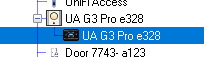
- Select the nested Intercom driver in Composer.
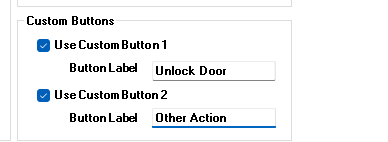
- Set Custom Button settings as required:
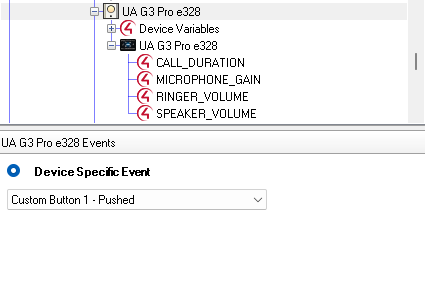
- Under Programming, Select the relevant Custom Button Pushed Action
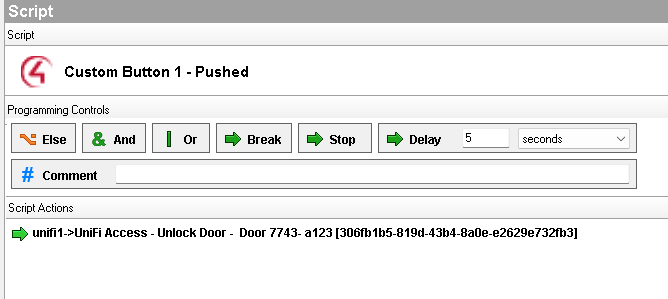
- To unlock the door, either use the unlock command for the added Unifi Access Door driver, or use the relevant door command in the UniFi Access Controller driver
Related Articles
Control4 UniFi: Unifi Access Quick Setup
The UniFi access integration enables basic control of doors and intercoms. Install all of the drivers It is recommended to use Drivers => Add Or Update Driver or Agent to install the drivers Use Ctrl+A or use the mouse to install and update all C4z ...
Control4 UniFi: Manual Setup of UniFi Access V2 Intercom
Control4 UniFi: Manual Setup of UniFi Access Intercom Device It is strongly recommended to use Auto Setup to correctly configure and add new devices instead of Manual Setup UniFi Protect Intercom V1 is Deprecated. Ensure you are using UniFi Access ...
Control4 UniFi: Manual Setup of UniFi Access Door
Control4 UniFi: Manual Setup of UniFi Access Door It is strongly recommended to use Auto Setup to correctly configure and add new devices instead of Manual Setu Ensure that UniFi Access Controller has been added to project and is correctly ...
Control4 UniFi: Setup Unifi Doorbells
Integration of UniFi Protect Doorbells UniFi Protect Doorbells such as the G4 Doorbell do not provide SIP access and cannot directly integrate using the Intercom/2-way interface. UniFi Intercoms however do support the ability to make calls outgoing ...
Control4 UniFi Access: HOW TO program for Visitors / Users Unlock attempts for Access door locks
Summary This article explains how to perform actions or programming in Control4 when specific Users or Visitors unlock a door Prerequisites Chowmain UniFi Driver Version 20260428 or later UniFi Access. This procedure will not work for doorbells ...